Support
Answers to the usual questions. If yours is not here, write to us.
How to play
What are the rules?
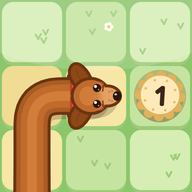
- The dog starts on treat 1. Drag it one square at a time: up, down, left or right.
- The dog cannot cross its own body.
- Eat the treats in number order.
- The last treat, the bowl, must be the last square. When every square is filled, you have won.
There is no timer and there are no lives. You cannot lose a level.
How do I move the dog?
- Drag from the dog's head to stretch it.
- Drag back along the body to shorten it.
- Tap a square the body is on to pull the dog back to that square.
- Tap a square beside the head to step once.
- Undo takes back one step. Restart clears the board.
My finger hides the dog's head.
The head already runs a little ahead of your finger. If that is not enough, turn on Settings > Drag from anywhere. You can then drag anywhere on the board and the head follows your movement, like a laptop trackpad.
What are bushes, fences, tunnels and bridges?
- Bushes block a square. Go round. (In other places the blocker looks different: a sandcastle on the beach, a snowman in the snow.)
- Fences stand between two squares and stop a step that way.
- Tunnels are two holes that link up. Step into one and you come out of the other.
- Bridges are squares the dog crosses twice: once over and once under.
They arrive one at a time, at levels 25, 50, 90 and 140, each with a gentle first level.
What do "Tricky" and "Long dog" mean?
In every run of ten levels, one is marked Tricky: it has fewer treats, so fewer clues. The tenth is a Long dog level on a bigger board. Both pay more bones.
Is there really only one answer?
Yes. Each of the 2,000 levels has been checked by a solver to have exactly one path that works. If you are sure you have found a second, please send us the level number and a screenshot.
Hints and bones
What does a hint do?
A hint shows the next three squares as a scent trail. It never costs you the level. Winning without one earns a small bonus.
How do I get more hints?
You start with three. After that:
- some gift boxes and every streak reward include hints;
- when you have none, tapping Hint offers a short advert to watch, or a price in bones;
- the shop sells ten at a time.
What are bones for?
Bones are what you earn for finishing levels and daily walks. Spend them on hints, coats, outfits, treat styles and streak freezes. You earn double at weekends, and a little extra for a win without hints. You can also buy bones in the shop, but you never need to.
What are zoomies?
Win levels in a row without a hint and the zoomies meter fills. When it is full, it pays a bonus in bones and starts again. Using a hint empties it.
What is in a gift box?
You earn a gift box every ten levels. It holds bones, sometimes a hint, and now and then a new look. Gift boxes cannot be bought, and what is inside each one is fixed in advance.
The daily walk
What is the daily walk?
One bigger board a day, the same for everyone. A new one arrives at midnight by your phone's clock. You can replay today's walk to beat your own time.
How do streaks work?
Finish the daily walk on consecutive days to build a streak. There are rewards at 3, 7, 14 and 30 days, and every ten days after that.
A streak freeze covers one missed day, so the streak carries on. You can hold two. You earn them with longer streaks or get one with bones on the Daily walk screen. If you miss a day with no freeze, the count starts again from one. Nothing you have already earned is taken away.
How do I earn the monthly bandana?
Finish ten daily walks in a calendar month and that month's bandana is yours to keep. There is a different one each month.
What is "How long is your dog?"
Every square your dog covers in a level you win is added to its total length. The home screen shows the total and the next thing it will be longer than: a sofa, a bus, a blue whale and onward. Each milestone pays bones.
Purchases and adverts
What does "Remove ads" remove?
It removes the full-screen adverts between levels. You buy it once. Rewarded adverts stay, because they only play when you choose to watch one for a hint or for bones.
The Starter bundle includes it. The shop says: "Any purchase also removes the ads between levels."
How do I restore my purchases?
Go to Settings > Restore purchases, or use the button at the foot of the Shop. Make sure you are signed in to the same app store account you bought with.
Restoring brings back the things that last: no adverts between levels, the Starter bundle's outfit, and the coats, outfits and treat styles from packs. It cannot bring back bones or hints, including those that came with a bundle or pack, because they are used up as you play.
I paid but did not get my item.
First check you are online, then use Restore purchases. If a lasting item is still missing, or bones or hints did not arrive, write to us with the order number from your store receipt.
Can I have a refund?
Payments are taken by your app store, so refunds are the store's to give. On an iPhone, use Apple's "Report a Problem" page. On Android, use your order history in Google Play. If you are stuck, write to us and we will help where we can.
When do adverts appear?
Only between levels, never during one, and not at all in your first eight levels. They are spaced out. If a rewarded advert is not available, the game says "No ad right now. Try again soon." and you lose nothing by trying again later.
If you see an advert that is offensive or will not close, send us a screenshot.
Your progress
Where is my progress kept?
On your device, and in your phone's own backup if it makes one. As the game's Privacy choices sheet puts it: "If your phone backs itself up, your progress is in that backup too." The game has no account and no server of ours, so we cannot see your save or restore it for you.
I have a new phone. Can I carry on?
If you move to a new phone using your old phone's own backup or transfer tool, the game's save may come across with everything else. That depends on your phone and its settings.
If it does not, you start again at level 1. Your lasting purchases come back with Restore purchases. Levels, bones, hints, streaks and items you earned by playing do not.
What happens if I delete the game?
The save on your phone is deleted with it. Installing again usually starts a fresh game; on Android, your phone's backup may bring the save back. Lasting purchases can always be restored. Without a backup, nothing else can.
I closed the game in the middle of a level.
It is saved exactly as you left it. The Play button on the home screen says "Carry on where you left off".
Settings and privacy
What can I change in Settings?
Tap the gear at the top right of the home screen.
- Sound: on or off.
- Vibration: the small tick for each step.
- Reduce motion: calmer screens and fewer effects.
- Drag from anywhere: drag anywhere and the head follows.
- Daily reminder: at most one notification a day, when the walk is ready.
- Share play statistics: on or off. In this version nothing is sent either way.
- Language: English, Español, Deutsch, Français, Português or 日本語. The row shows the language in use.
- How to play: the three rules again.
- Restore purchases: brings back what you bought before.
- Privacy choices: what the game keeps and shares, and your advert choices where the law gives you some.
- Credits: who made the game, and its build number.
How do I stop the reminders?
Switch off Settings > Daily reminder, or turn off notifications for Dotshund in your phone's settings. The reminders are made on your phone; nothing is sent from anywhere.
What does the game know about me?
Not your name, email or exact location: it never asks. It shows adverts through Google AdMob. This version sends no play statistics. The full account is in the privacy policy. Where the law gives you advert choices, they are at Settings > Privacy choices, under the button Ad privacy choices.
Does it work offline?
Yes. All the levels are in the game. Without a connection there are no adverts, and the shop waits until you are back online.
Which languages is it in?
English, Spanish, German, French, Brazilian Portuguese and Japanese. The game follows your phone's language; to choose another, open Settings and tap the language row.
Contact us
Email support@zkmediahq.com. We aim to reply within three working days. We read English best; write in your own language if you prefer and we will do our best.
It helps if you tell us:
- your phone model and its system version;
- the game's build number, shown at Settings > Credits;
- the level number, if it is about a level;
- what you did and what happened, with a screenshot if you can.
For anything about your data, see the privacy policy.